
Redeeming Love Your Body™ Club rewards onlineUpdated 4 months ago
If you have rewards available, you can redeem them at checkout when shopping online.
On desktop:
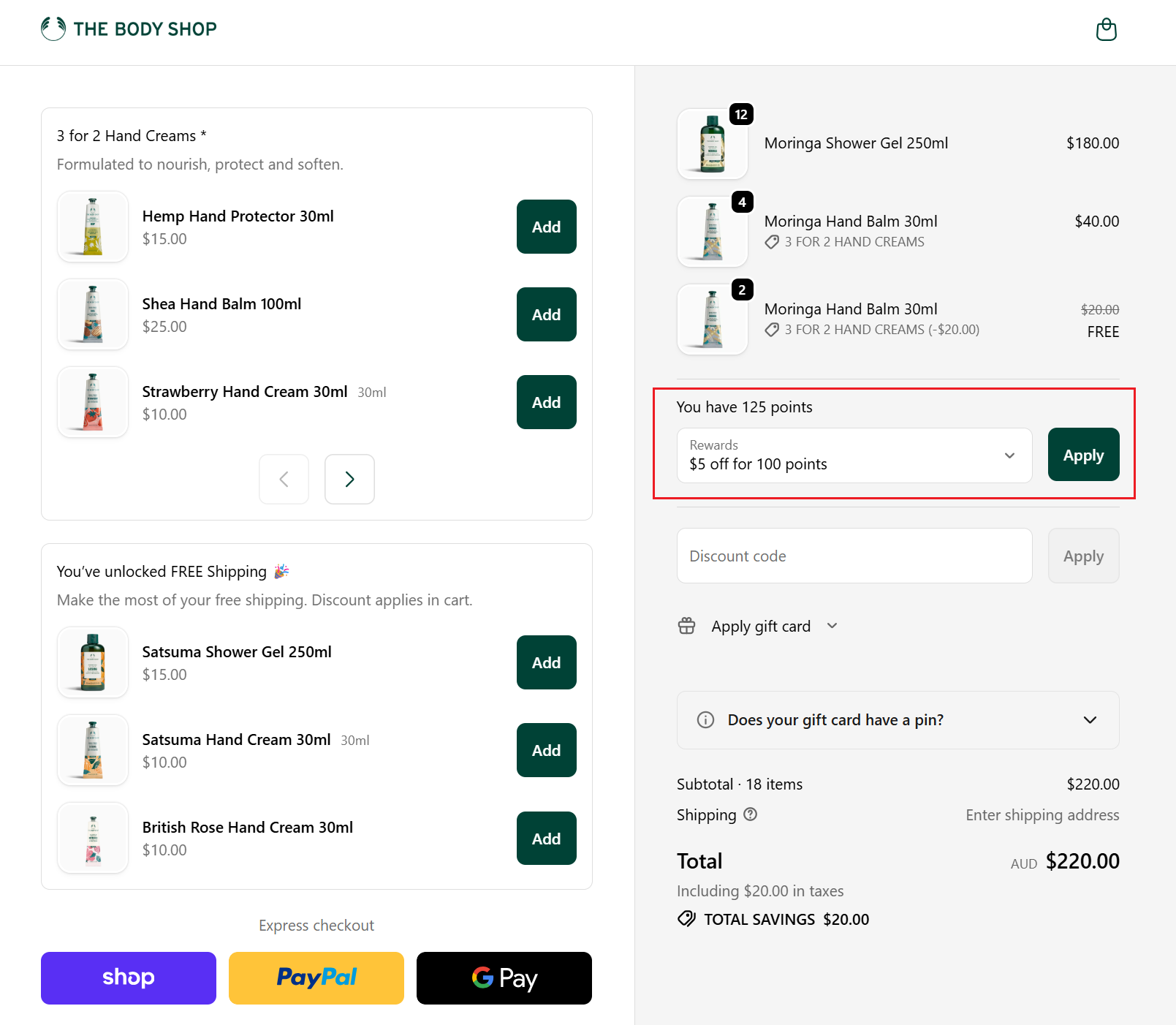
At checkout, your available rewards will appear in the order summary. Simply select the reward you would like to use and click Apply.
On mobile:
If you are ordering from a mobile device, your rewards may be slightly hidden.
- At checkout, scroll to the bottom of the page
- Tap the Add discount button
- This will expand the Order summary section
- You will see your available rewards listed here
- Select your reward and tap Apply
Your discount will then be applied to your order total.
.jpg)
.jpg)
How it works:
- Earn 1 point for every $1 you spend.
- Hit 100 points and you’ll unlock a $5 reward to enjoy on your next self-care moment.
A little extra love:
- You can redeem up to 3 rewards in one order (that’s 300 points = $15 off).
- You can also stack your rewards with a birthday treat or another valid promo code - because you deserve it!